mrg-iot stream capture
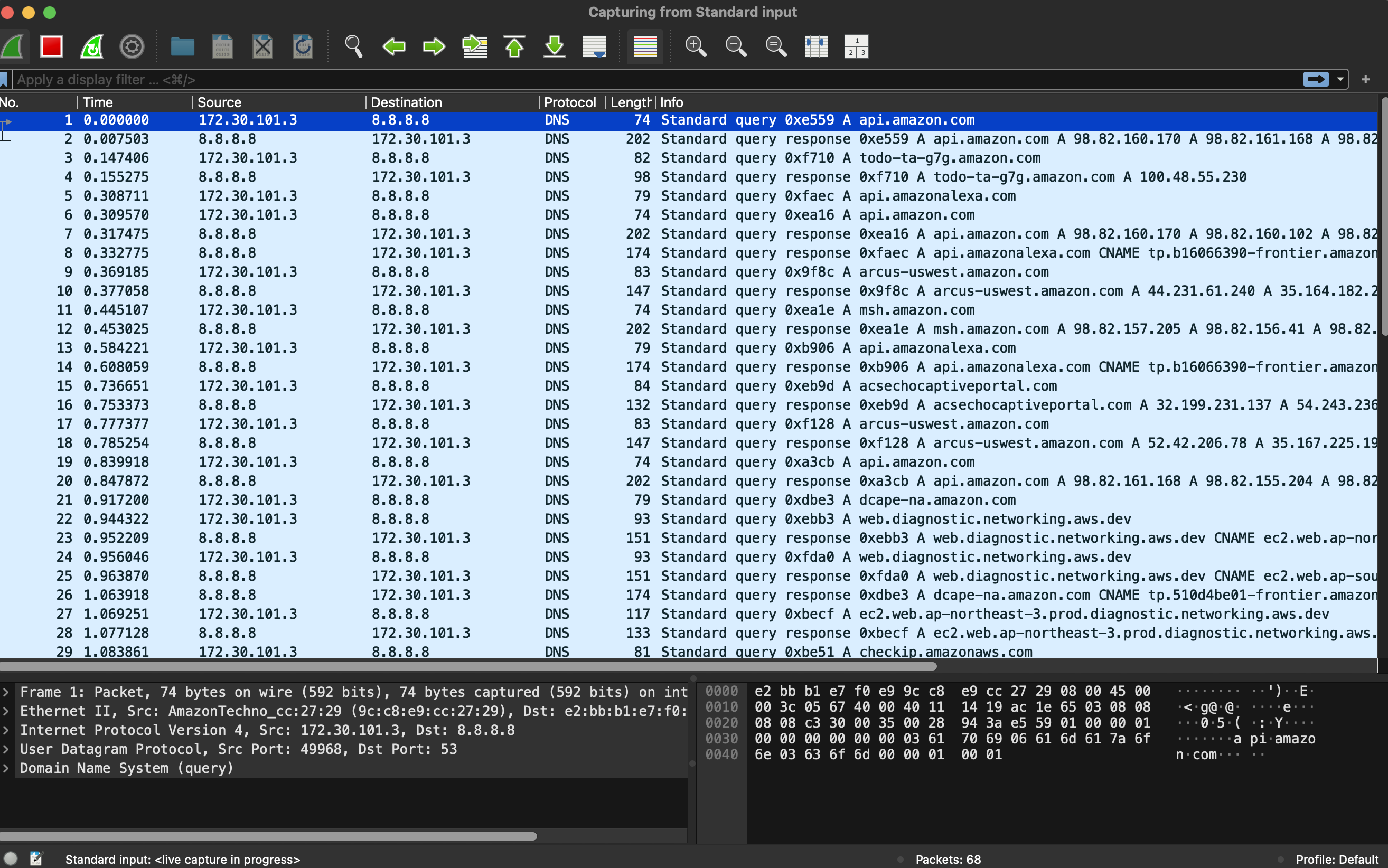
Watch the experiment's live network traffic in Wireshark; runs until Wireshark closes or Ctrl+C.
Usage
mrg-iot stream capture [-p PROJECT] [-e EXPERIMENT] [-r REALIZATION] [-x XDC] [--filter FILTER] [--snaplen SNAPLEN] [--write WRITE]
Arguments
| Argument | Description |
|---|---|
--filter, -f | tcpdump capture filter, e.g. "udp port 53". At most 1024 characters. Default: all traffic. |
--snaplen, -s | Bytes kept per packet, between 64 and 262144, e.g. 128 for headers only. Default: whole packets. |
--write, -w | Write the pcap to this file, or - for stdout, instead of opening Wireshark. |
--project, -p | Project name. Default: your only project; required when you belong to several. |
--experiment, -e | Experiment name. Default: your username. |
--realization, -r | Realization name. Default: realiot. |
--xdc, -x | XDC name. Default: <experiment>xdc. |
Details
The live counterpart of the .pcap in the experiment's output: instead of waiting for the run to end and downloading it with file download, you watch the packets as the devices send them. Wireshark opens already capturing; close it or press Ctrl+C to stop.
- Each
stream capturegets its own tcpdump on the experiment, so a slow viewer only drops packets from its own stream. The recorded.pcapis never affected. --filterand--snaplenare applied on the experiment, before anything crosses the tunnel. On a busy experiment, they are what make the capture keep up.- With
--write, Wireshark isn't needed.--write -sends the pcap to stdout and everything else to stderr, so it pipes cleanly intotsharkortcpdump. - Closing Wireshark ends the capture, but stopping with Ctrl+C leaves the window open, so you can still inspect and save what was captured.
- If the experiment ends the capture without sending anything, the filter is usually invalid tcpdump syntax.

Examples
mrg-iot stream capture -e myexp                          # everything, in Wireshark
mrg-iot stream capture -e myexp -f "udp port 53"         # DNS only
mrg-iot stream capture -e myexp -s 128                   # headers only
mrg-iot stream capture -e myexp -w live.pcap             # to a file, no Wireshark
mrg-iot stream capture -e myexp -w - | tshark -r -       # to another tool