mrg-iot session
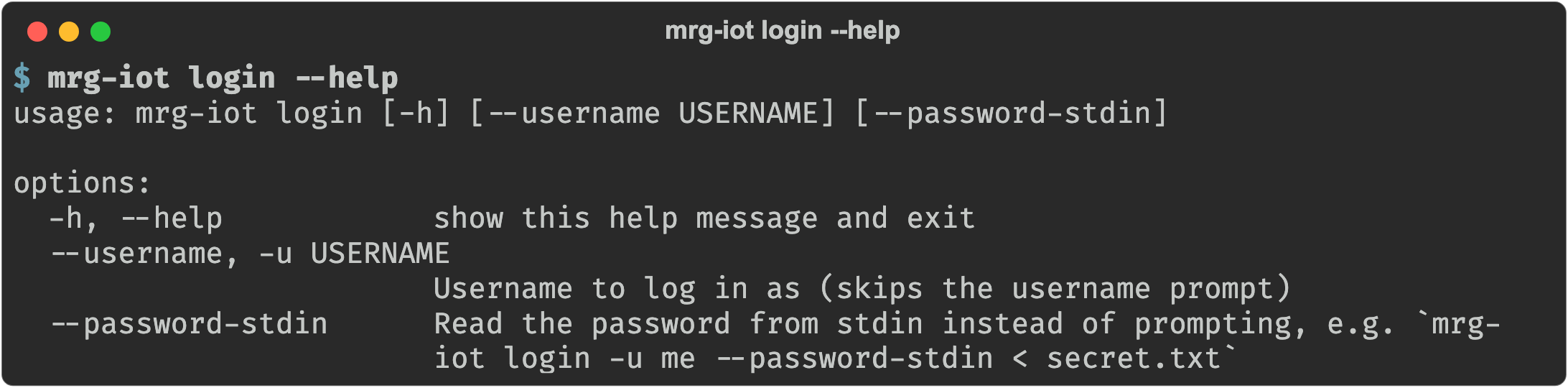
Every command that talks to the portal or an experiment needs a SPHERE login. The session commands manage that login. They are top-level: you type mrg-iot login, not mrg-iot session login.
How the session works
- The session is cached at
~/.mrg-iot/session.json(mode0600) as{"username", "token"}. - Every authenticated command re-validates the stored token and only re-prompts if the portal rejects it. If the portal simply can't be reached, the cached token is kept.
- You log in with your SPHERE portal username and password. You do not need the
mrgCLI or an SSH key;mrg-iotfetches the XDC key itself.
Logging in without a prompt
For scripts and CI, set credentials in the environment and skip login entirely:
export MRG_IOT_TOKEN=<token>          # an existing bearer token (takes precedence)
export MRG_IOT_USERNAME=<username>    # optional with a token; used for display and SSH key lookup

# ...or a username and password, exchanged for a token normally:
export MRG_IOT_USERNAME=<username>
export MRG_IOT_PASSWORD=<password>
MRG_IOT_USERNAME and MRG_IOT_PASSWORD must both be set to take effect. If a command needs credentials, none are available, and stdin is not a terminal, mrg-iot exits with an explanation instead of waiting on a prompt.
Commands
| Command | What it does |
|---|---|
login | Log in to the portal and store the session. |
logout | Clear the stored session. |
Back to the full walkthrough: Using mrg-iot.