IoT Devices
Reserve, run, and interact with the physical IoT devices provided by Northeastern as part of your SPHERE experiments.
Support for IoT devices is currently in beta. Please report any issues you encounter, and share feedback with the NEU IoT Facility.
SPHERE lets you incorporate real IoT devices, such as smart speakers, cameras, plugs, TVs, and phones, into your experiments. Everything is driven by one command-line tool, mrg-iot: it reserves the devices, brings them online, sends commands to them, collects the captured data, and releases the hardware when you are done.
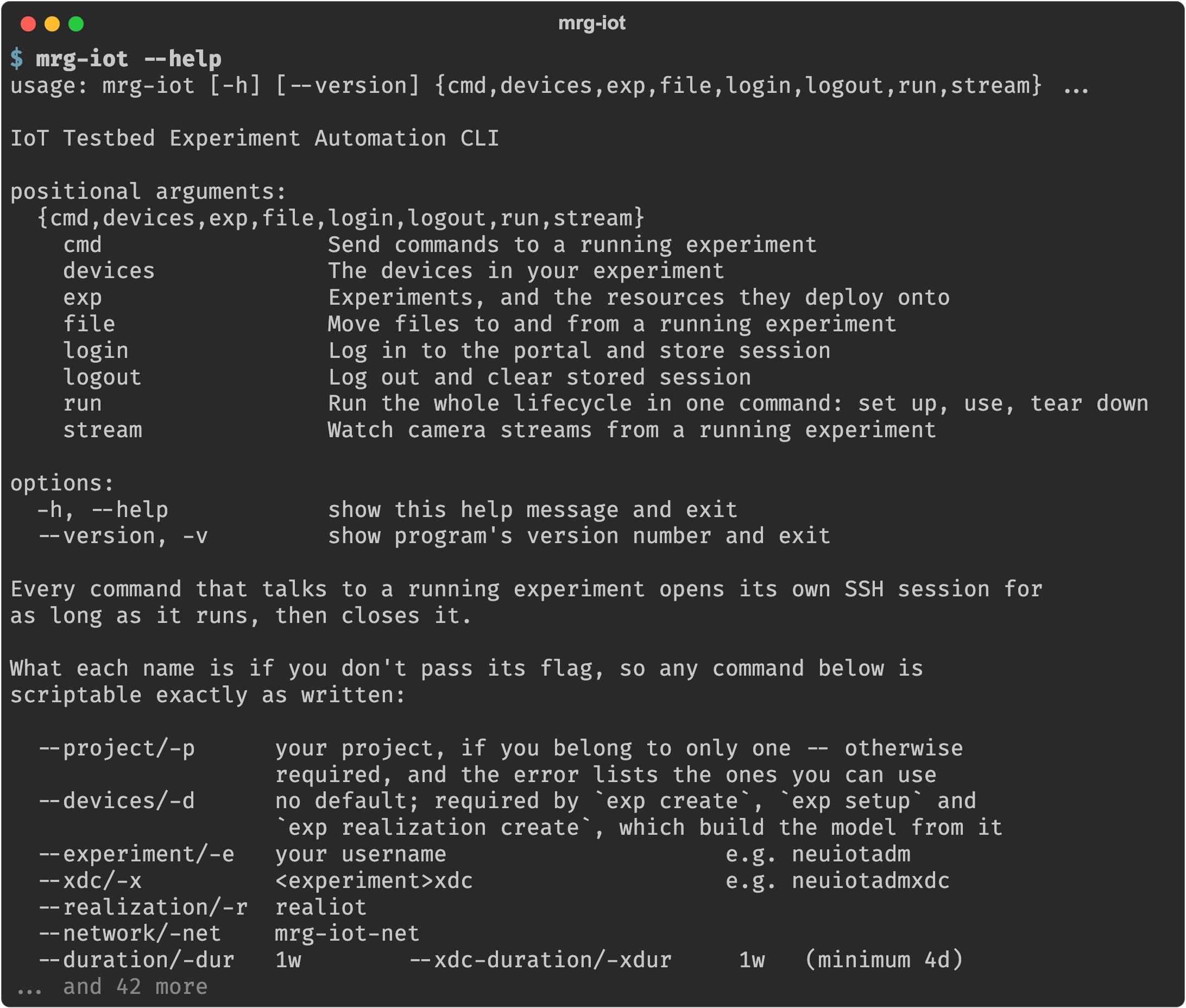
Everything the tool does is organised into a handful of command groups, one per thing you work with. mrg-iot --help is the map:
Where to start
| Guide | Read it when |
|---|---|
| Installation | Start here. Puts mrg-iot on your PATH, plus the optional video player. |
| Quickstart | You want the shortest path: install the tool and drive a real device in a handful of commands. |
| Using mrg-iot | You want the full walkthrough, from creating an account to tearing the experiment down. |
| Troubleshooting & FAQ | Something failed and you want the symptom, the cause, and the fix. |
Browse the devices
Every device in the testbed is catalogued, with the details of each one, at devices.iot.sphere-testbed.net.
Use it to see what hardware exists and what each device can do before you pick the ones for your experiment. To check what is free to reserve right now, ask the portal instead:
mrg-iot devices list --available
Key concepts
These terms appear throughout the IoT guides and in the rest of the SPHERE documentation:
| Term | Meaning |
|---|---|
| Experiment | The model describing the devices and the network connecting them. |
| Realization | A reservation of physical resources that satisfies an experiment’s model. |
| Materialization | The act of booting and configuring the reserved devices so they are live. |
| XDC (Experiment Development Container) | The container you connect through in order to reach your experiment’s devices. |
| Deployed | An experiment that is realized, materialized, and attached to a ready XDC. This is the state you can send commands in. |
| ExperimentControl | The gRPC service (port 17000) on the testbed that relays your commands to the devices. |
spiot_ctl | The control language you speak to devices in, e.g. s-echodot-1 click_button. |
How the pieces fit together
mrg-iot runs on your laptop. Every command that talks to a running experiment opens its own SSH session to the XDC, forwards the ports it needs, does its work, and closes again. There is no daemon and nothing cached between invocations.
                    SSH tunnels                      WireGuard
            (8554 / 9001 / 17000 / 17554)
   Your laptop ───────────────────────►   XDC   ───────────────►  ExperimentControl
     mrg-iot                                                             │
                                                                         ▼
                                                                   IoT devices
                                                                 (s-echodot-1, …)
| Port | Service |
|---|---|
8554 | RTSP camera stream proxy |
9001 | File server web client (uploads and downloads) |
17000 | ExperimentControl gRPC channel |
17554 | Stream ingest, for stream push |
17555 | Live packet capture, for stream capture |
Those are the remote ports, and each command forwards only the ones it needs. The local end of every tunnel is an OS-assigned ephemeral port, so several mrg-iot commands can run side by side in different terminals without colliding.