mrg-iot cmd shell
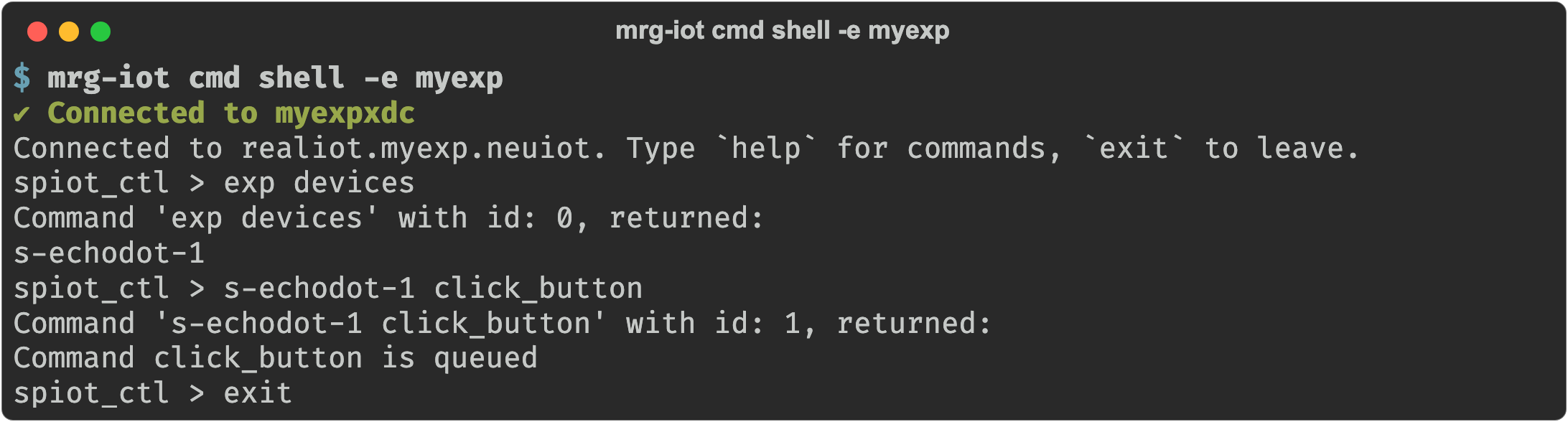
Open an interactive spiot_ctl prompt against the experiment.
Usage
mrg-iot cmd shell [-p PROJECT] [-e EXPERIMENT] [-r REALIZATION] [-x XDC]
Arguments
| Argument | Description |
|---|---|
--project, -p | Project name. Default: your only project; required when you belong to several. |
--experiment, -e | Experiment name. Default: your username. |
--realization, -r | Realization name. Default: realiot. |
--xdc, -x | XDC name. Default: <experiment>xdc. |
Details
One foreground session you keep open and type into at the spiot_ctl > prompt. Type exit (or Ctrl-C / Ctrl-D) to leave. History is saved to ~/.spiot_history.
Storing a result and reusing it
At the prompt (and in files run by exp read), -s captures part of a reply into a variable, which you reference with a leading underscore. -s takes a reference (id, result, or state) and a variable name:
s-echodot-1 -s id job click_button
query wait_result s-echodot-1 click_button _job
Examples
mrg-iot cmd shell -e myexp
See also
cmd ctl: the same prompt from inside the XDC